 ?
?
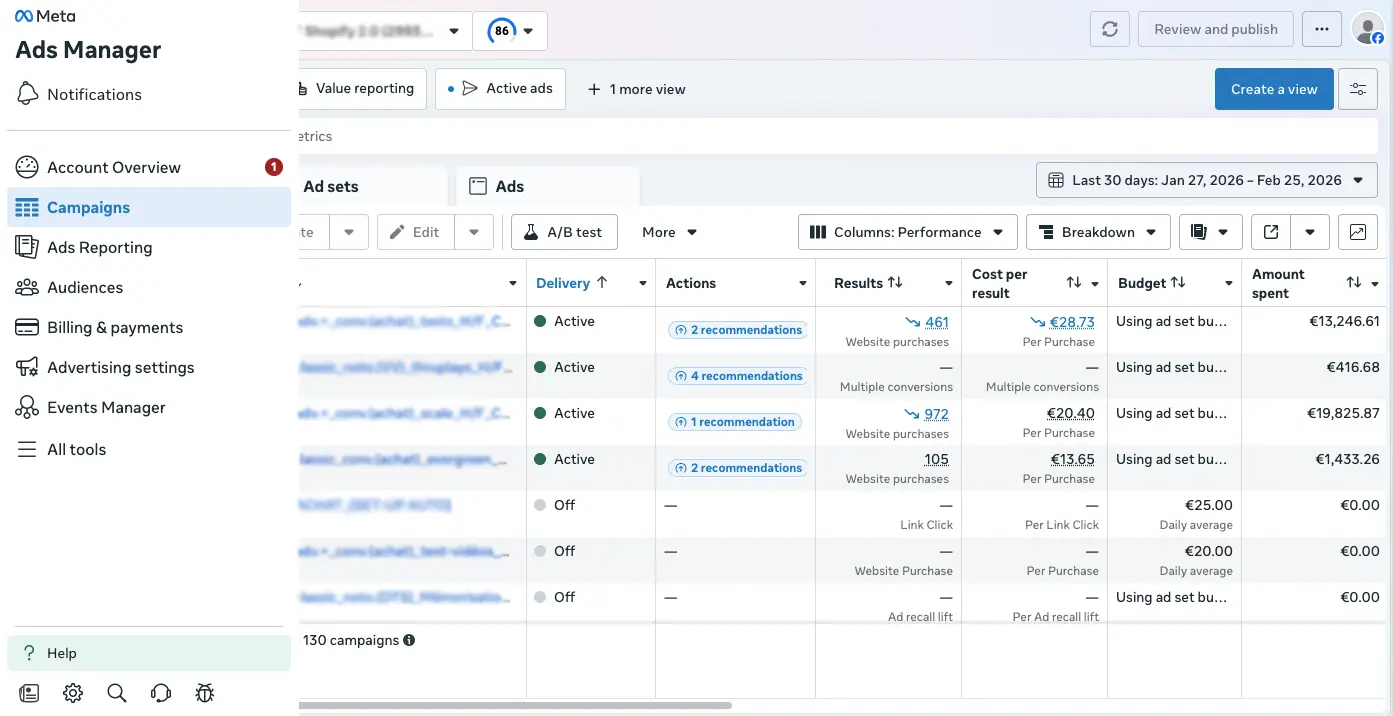

API speed. Human control.
Every ad lands in Ads Manager. Paused, prefilled, ready to activate.
$2,190 / year
30-day full refund. No questions asked.
Give it a name, select the client (account), campaign objective, drop the Google Drive creative folder URL and hit send. 1 Batch = 1 Adset.
1 Ad = 1 row. Pick the copy you want from the related copy Google Sheet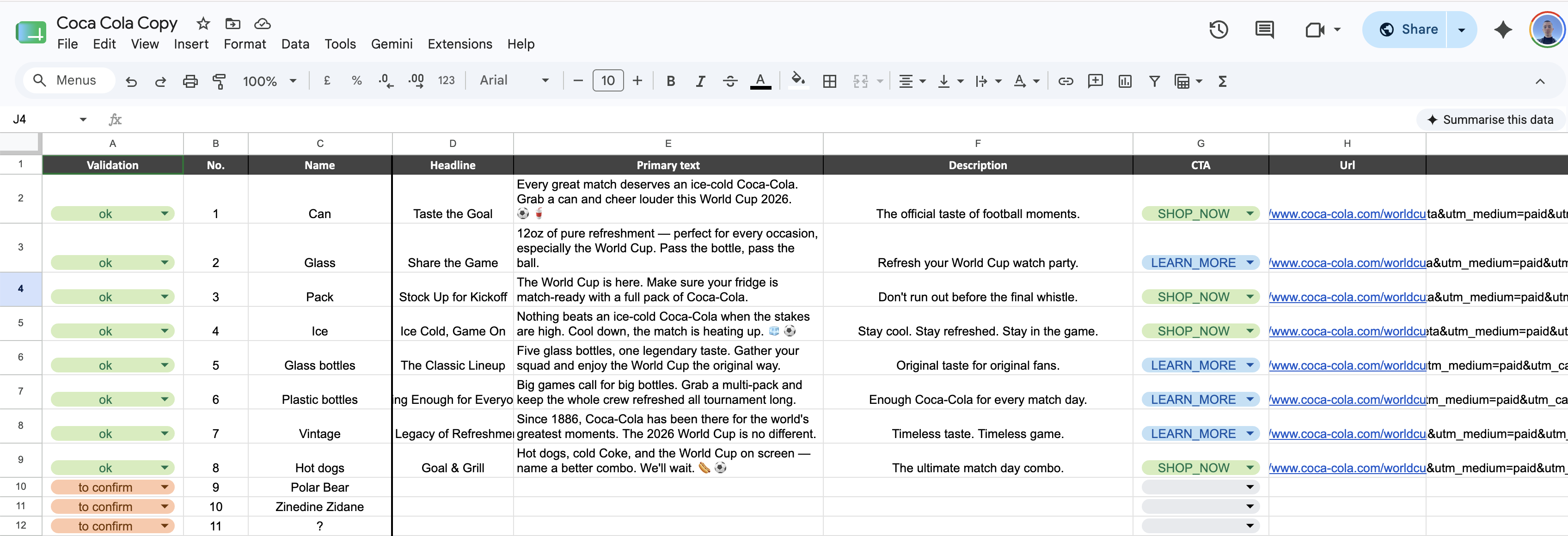 Click again to access the table and hit send. That's it, batch is being posted to AdsManager.
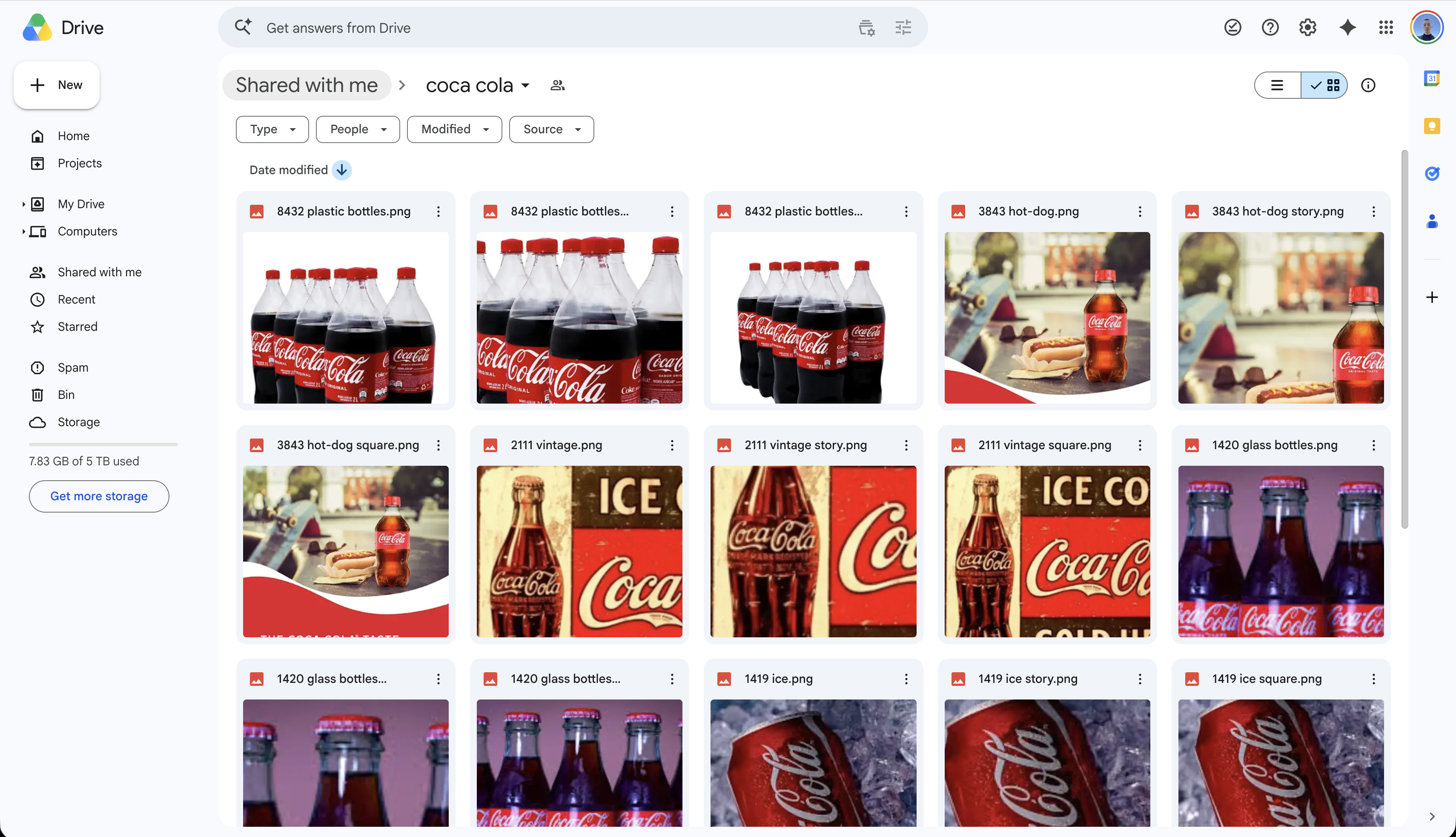 Click again to access the folder folder are grouped by the first number in the file's name. 14 square.jpg, 14 story.jpg and 14 portrait.jpg belong to the same ad. As simple as that.
Every ad lands paused, in a paused adset, in a paused template campaign. Duplicate the adset in your active campaign, and that's it.
That's the list of the client you have access to on . Fill in the Copy Google SheetClick again to access the table URL here, once per client. That's it.
User that created the batch automatically receive slack notifications when it requires an action, when its finished, and even when an error occurs.
There is an optional table where each column becomes a new naming parameter. You order them and write in the options that will appear in the batch's dropdowns.
30 seconds to know if this fits.
This is for you if
Ads for multiple clients simultaneously Business PlanThis is overkill if
If that's you, check back when you scale. The system will still be here.
 or
or  ChatGPT run everything, at your own risk Ads Manager's terrible UI
Hesitating? See what this actually saves you ↓
$2,190 a year. Maintained, updated, with fast support at any time.
Annual renewal covers Meta API updates, Notion compatibility, and unlimited support. The system keeps working, you don't have to think about it.
Deal!Adjust the numbers to your situation.
Based on our users posting ~9.8× faster with
the system.
manual cost
−
with system cost
− licence
=
net saved(system makes them post 9.8× faster)
Defined extensions/changes, scoped and priced per add-on
Every add-on is scoped and priced before you pay, no surprises. Built once, maintained with the system.
Request a quote
Pretty straightforward. No back-and-forth.
The
system can be live in minutes.
Fill in a 30s form, usual contact infos and then precisions on add-ons or customization if needed.
If you need to talk before making any decision, you can also book a discovery call directly.
No commitment until payment.
swipe →If you don't need no add-ons or modifications, you will be directed straight to the onboarding, which I will personnally perform with you during a live call.
Else, I'll study your needs and get back to you usually within a day or two to give you a quotation.
swipe →No add-on: you're running in minutes.
Custom integrations or adaptations: hours to a few days, depending on scopes and my schedule.
Unless specific integrations are needed, standard licence is truly plug-and-play.
Standard version: minutes. You go through
the simplest onboarding process (5 min,
flawless), then fill in copy Sheet URL for each client. The system builds
all the system in Notion automatically. Most
agencies trigger their first batch the same
day.
With add-ons: depends on scope. A single
additional integration (different copy
source, different notification tool)
typically takes a few hours. More complex
architecture (multi-agency setup, custom
approval flows, reporting extensions) can
range from one to several days depending on
complexity and my current schedule. Scope is
confirmed before any work starts, so there
are no surprises.
Yes. The system connects via Meta Business OAuth. Any ad account your Meta Account has access to will appear automatically in Notion. You can manage multiple clients and multiple ad accounts from a single workspace.
The status column in the Main Dashboard turns to "Error" and the system stops cleanly. Nothing is partially posted or left in a broken state. Minor API unavailability happens, just click Send again. The system picks up exactly where it left off.
No. Once installed, the entire system runs from Notion. No technical knowledge required to operate it day-to-day. Video tutorials are included, and most teams are autonomous from day one. The naming feature and all customizations within the standard version are managed directly in Notion by your team. → see demo
The Meta Graph API evolves regularly: endpoints change, new features roll out, deprecations happen. The annual fee covers monitoring those changes and updating the system before they break anything. It also covers Notion API compatibility updates and unlimited support: any question, any time. You won't have unanswered questions. The system keeps working.

Posting ads faster means more ads, more testing, more customers, in less time, which means more profit. Stop hesitating.
30-day full refund. No questions asked. Your competitor will also see this, if not already.
